My Role: UX Designer & Lead Researcher
Duration: 2 weeks
Educational Resources that Keep Students Engaged
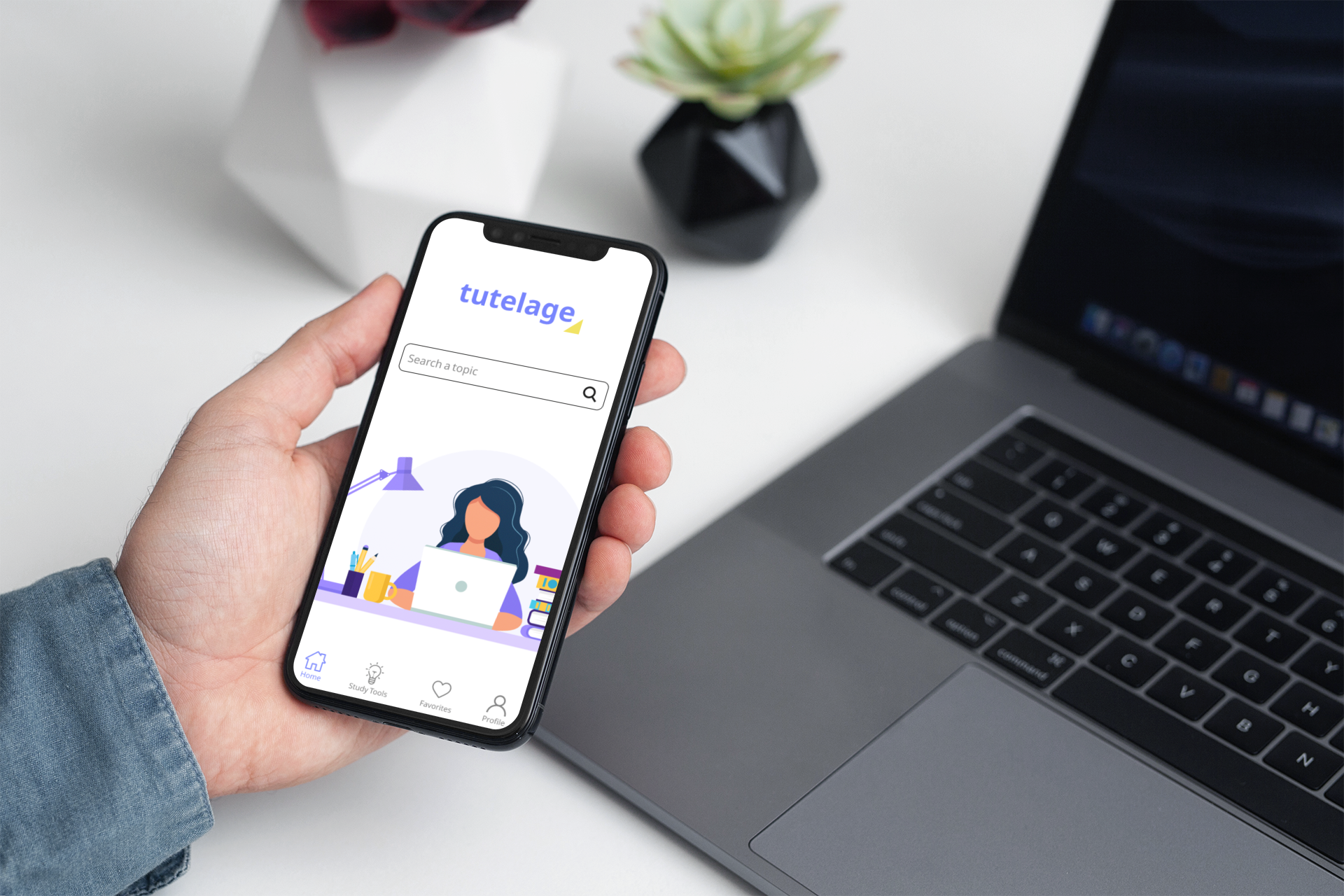
Tutelage is a mobile application that collects and organizes resources like videos and podcasts, offering new and creative ways to process information. It’s a different approach to learning for those who are tired of classic textbook learning. Tutelage is a one stop shop for all study material and users have all the information they could ever need at the tip of their fingers.
Opportunity
Students use various types of methods and materials to study
Most students retain more information when studying with sensory aids (e.g watching educational videos)
Outcomes
Make learning fun, engaging and accessible
Provide students with learning strategies
Strip away the conventional methods of studying
User Research
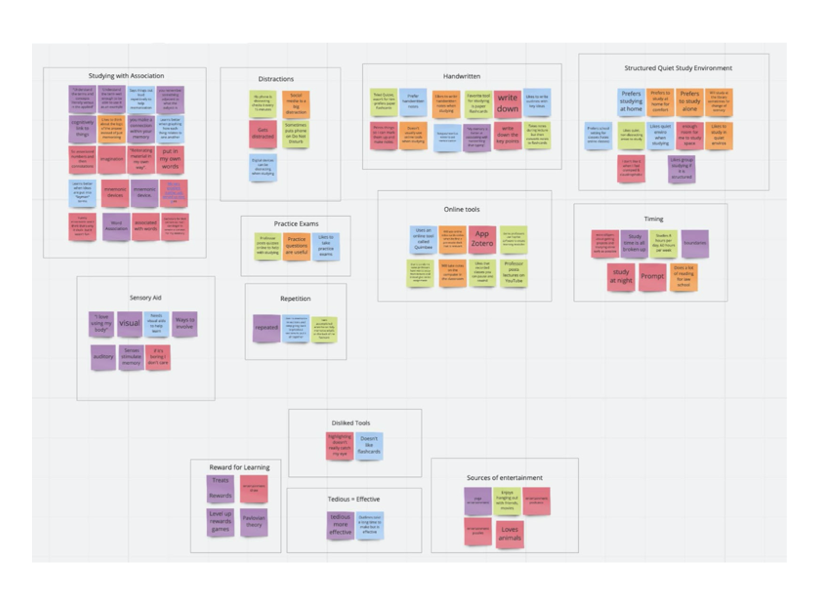
Our goal was to find out what methods students are currently using to study and what their frustrations are when studying. The patterns that emerged from our user interviews helped us gain valuable insight into what our users’ needs were. These insights include:
Students need to associate material using a variety of techniques in order to comprehend information.
Students need to organize their time when studying.
Students get ready for exams by utilizing practice quizzes.
Students need visual or audio aids to increase information retention.
Problem Statement
Students are expected to manage large amounts of dense studying materials for class and exams. As a result, they often struggle to find efficient methods that helps them comprehend the information required for their classes.
How might we provide students with organized resources and efficient learning techniques to boost their memory and ultimately equip them with tools to become more confident learners?
Business Opportunity
With a unique application that addresses the problems within the educational space, our team thought The Princeton Review would be an excellent partner to push Tutelage forward. The Princeton Review is a trusted leader for all things related to studying and study materials. They offer review books and tutoring services for a large assortment of subjects, targeting students of all ages. Because Tutelage strives to make learning accessible to everyone with a thirst for knowledge, we believe The Princeton Review and Tutelage can mutually benefit one another by offering dynamic learning tools to their users. With Tutelage’s variety of technologic tools that offer a new way of learning, The Princeton Review can provide supplemental tools for their users, and move their students towards an effective alternative style of learning.
Competitive Analysis
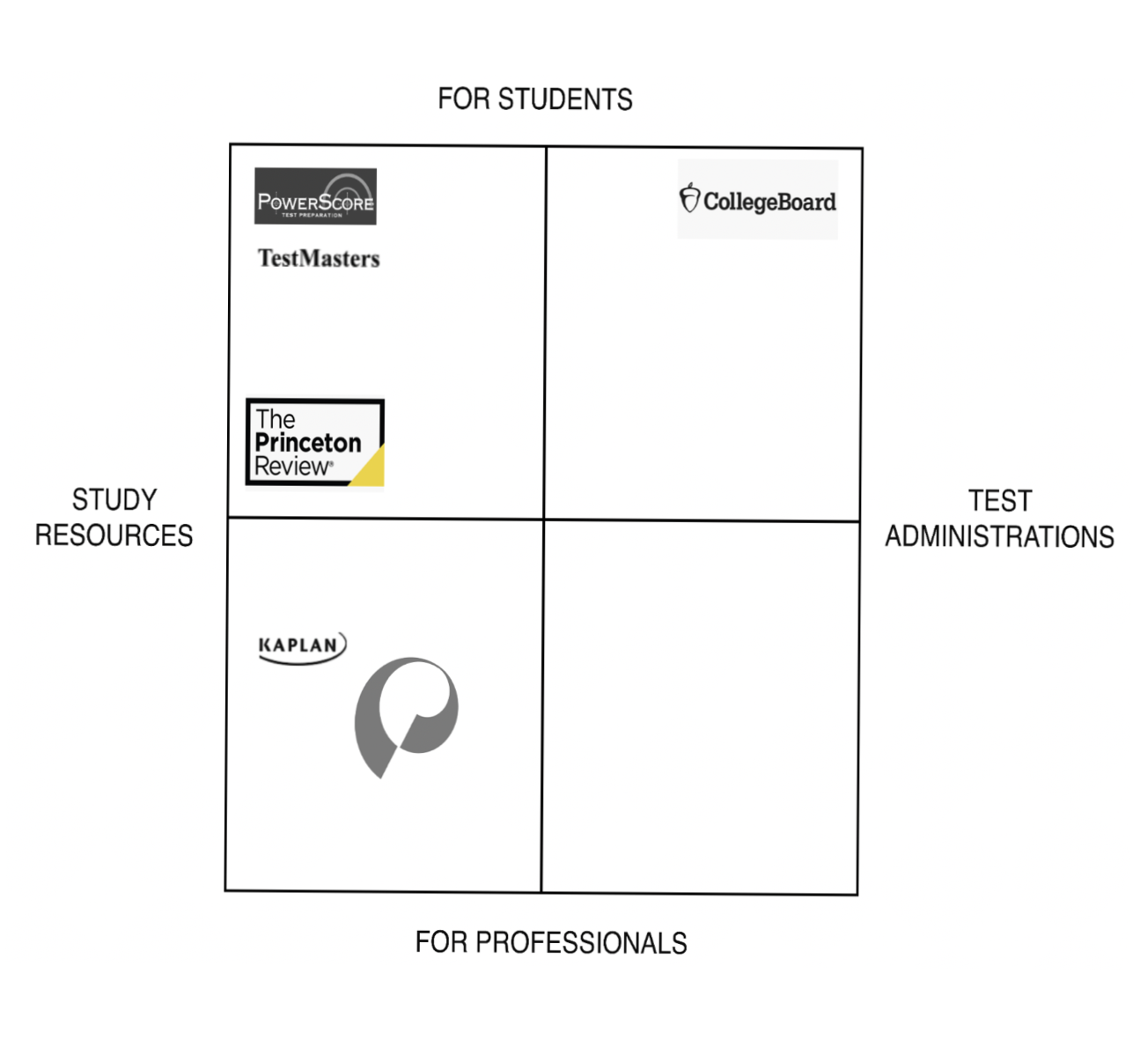
To learn how Tutelage by The Princeton Review would potentially compare in the current market, we analyzed a number of The Princeton Review’s competitors. Through this competitor matrix, we were able to identify Tutelage’s unique opportunity and also determine that The Princeton Review is the best business partner for our application.
Empathize
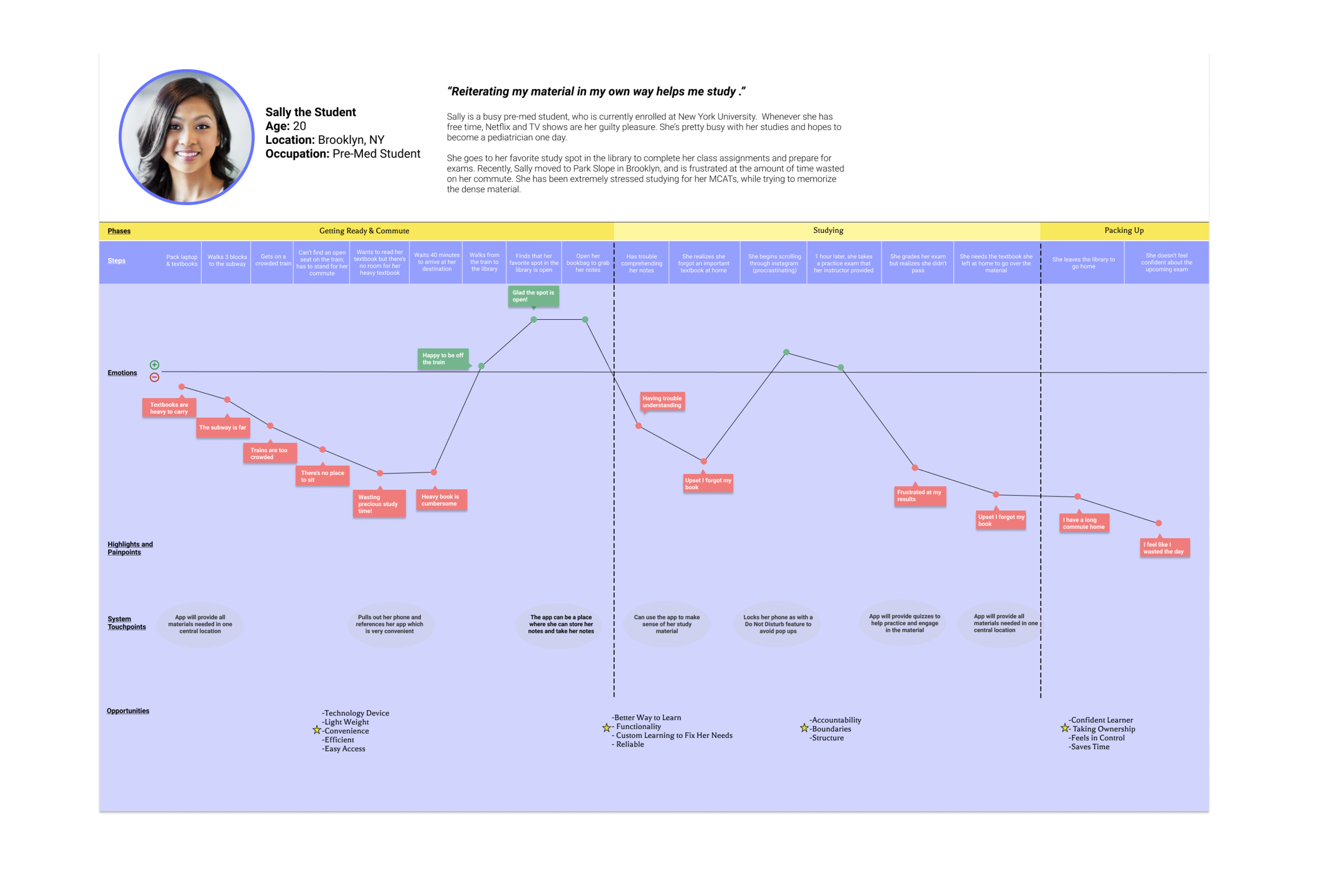
Based on the data from our user research, we developed a persona and a user journey map to help us empathize with our users and determine their goals and painpoints.

Sally the Student
Sally is a busy pre-med student who is currently enrolled at New York University. She usually goes to her favorite spot in the library to study and prepare for exams. Recently, Sally moved to Park Slope in Brooklyn and is frustrated at the amount of study time wasted on her commute to school.
Journey Map
The team created a journey map to determine where Tutelage could fit into Sally’s life and enhance her life especially when her current experience is unfavorable.
Insights

Sally needs a variety of study methods and techniques, such as visual and auditory aids, to retain information

Sally utilizes practice quizzes to prepare for exams
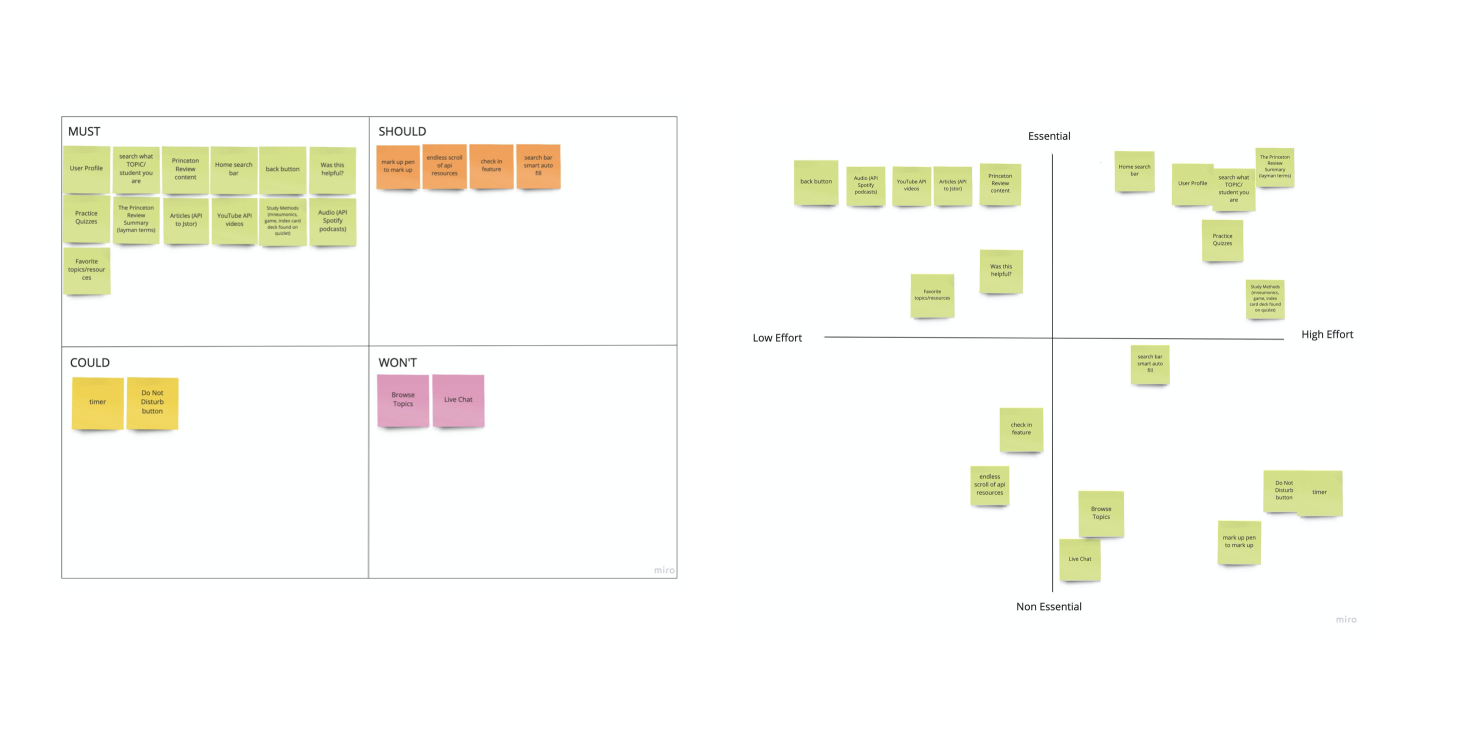
Defining the MVP
Through MoSCow Mapping and Feature Prioritization, we were able to determine the key features to include in our first iteration of the design. Some of these features include:
API integration for videos, podcasts and articles
User profile setup and customization
Overview of topic and practice quizzes
Favorite topics and resources
Goals
The key features we designed for the MVP strived to meet these 2 goals:

Make learning accessible and organized

Provide students with engaging content and stray away from traditional textbook learning
Wireframes
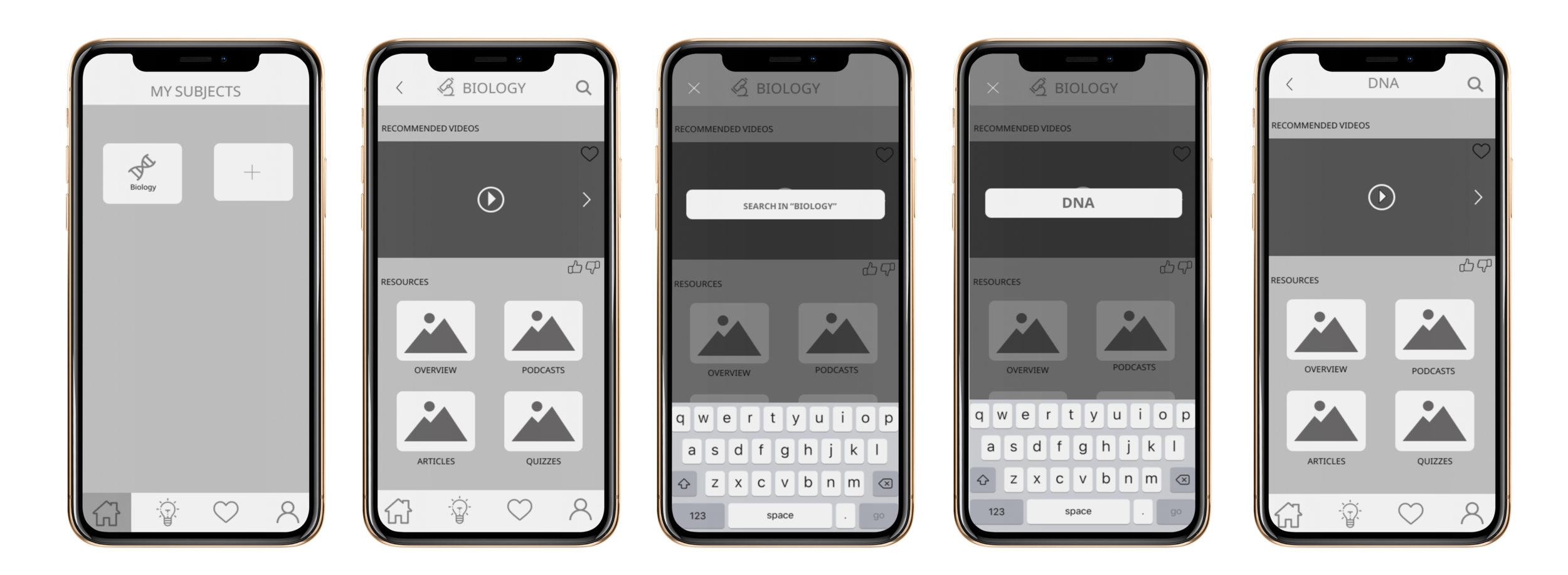
Midfi Wireframes
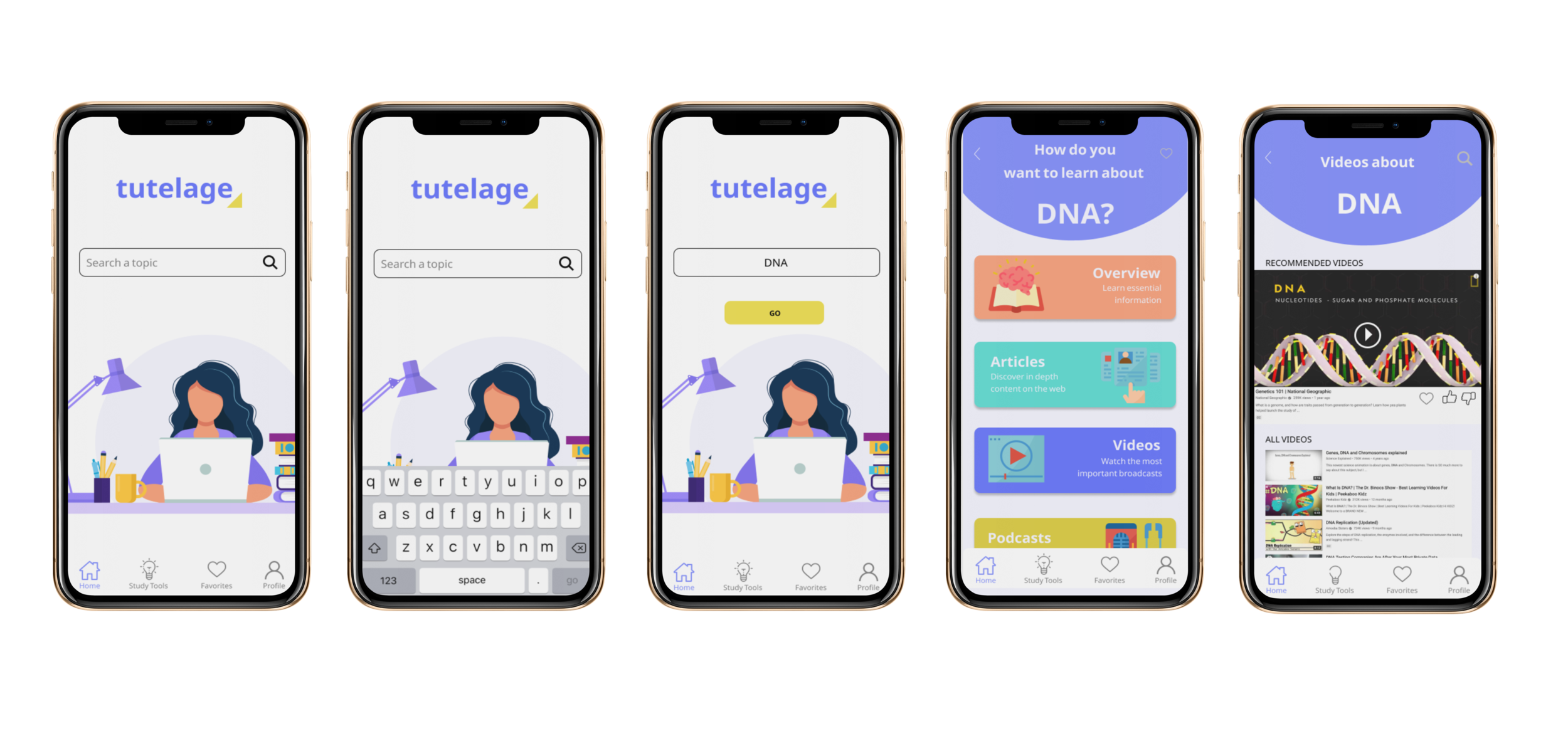
Hifi Wireframes
Solution
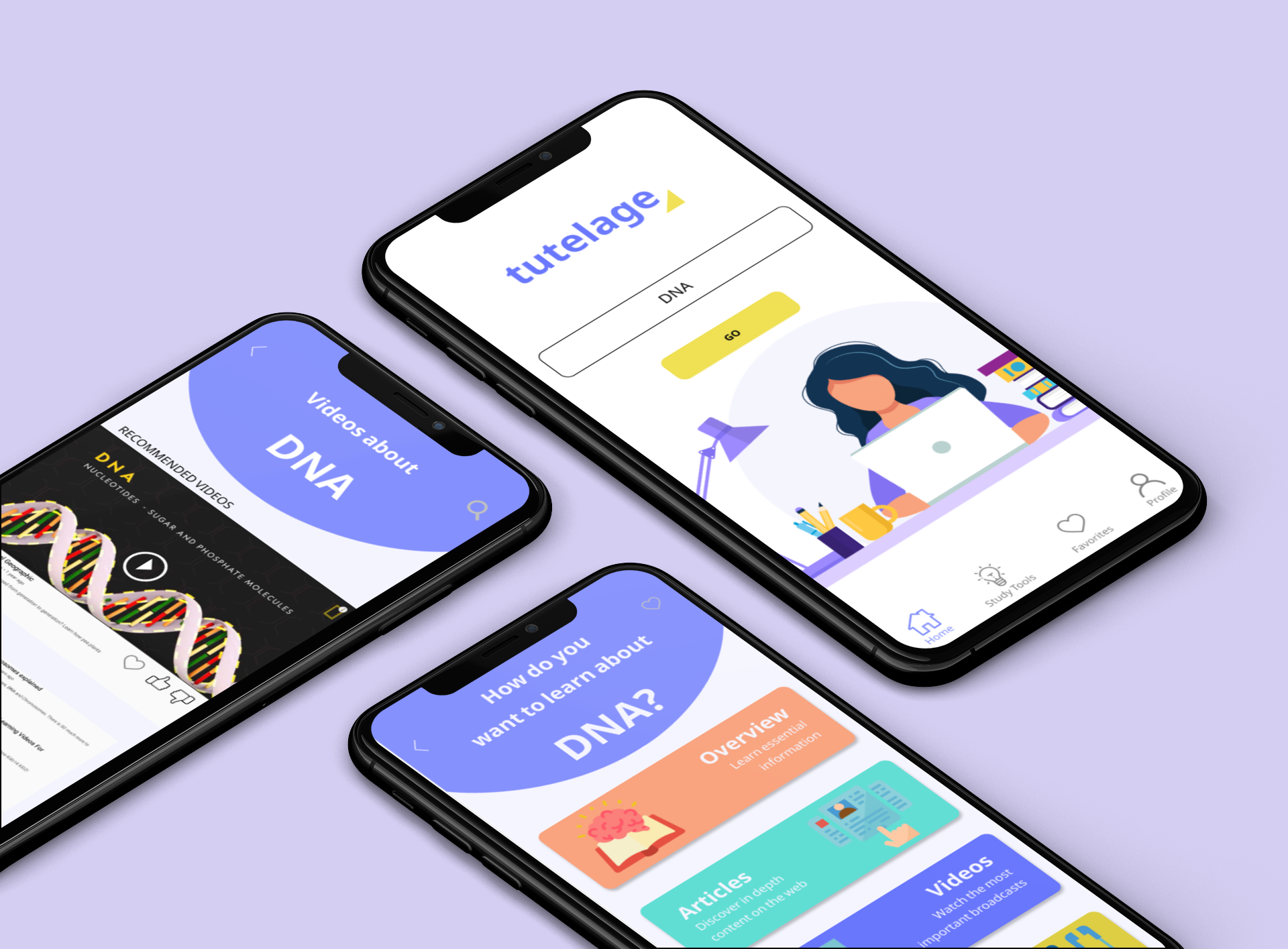
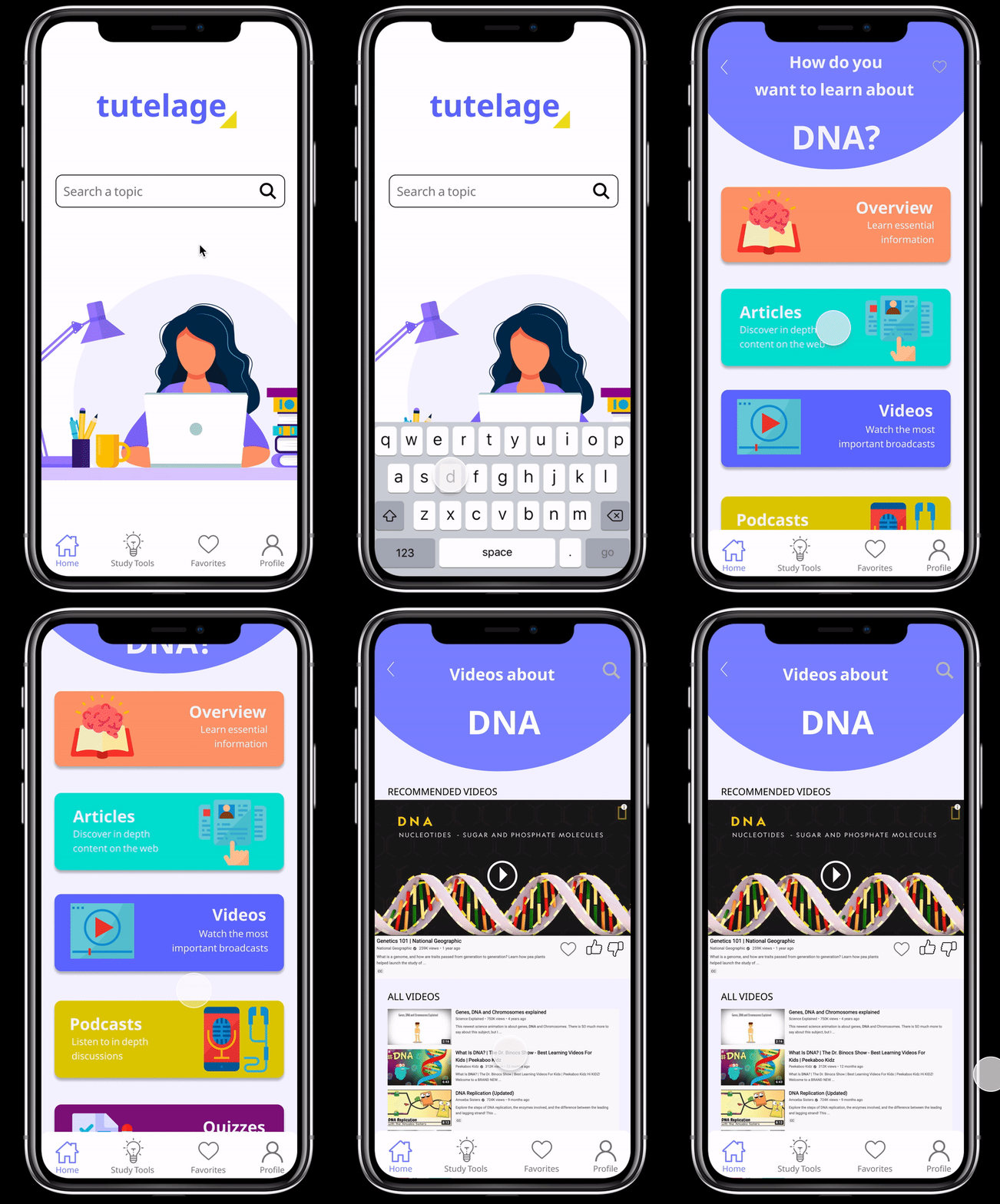
Subject Search
In “home”, users can search for a specific study topic with the search field. From there, users can choose to study by reading articles, watching videos, or listening to podcasts. Each topic has a short overview written to help users digest the main takeaways of the subject, as well as a practice quiz for users to measure their progress.
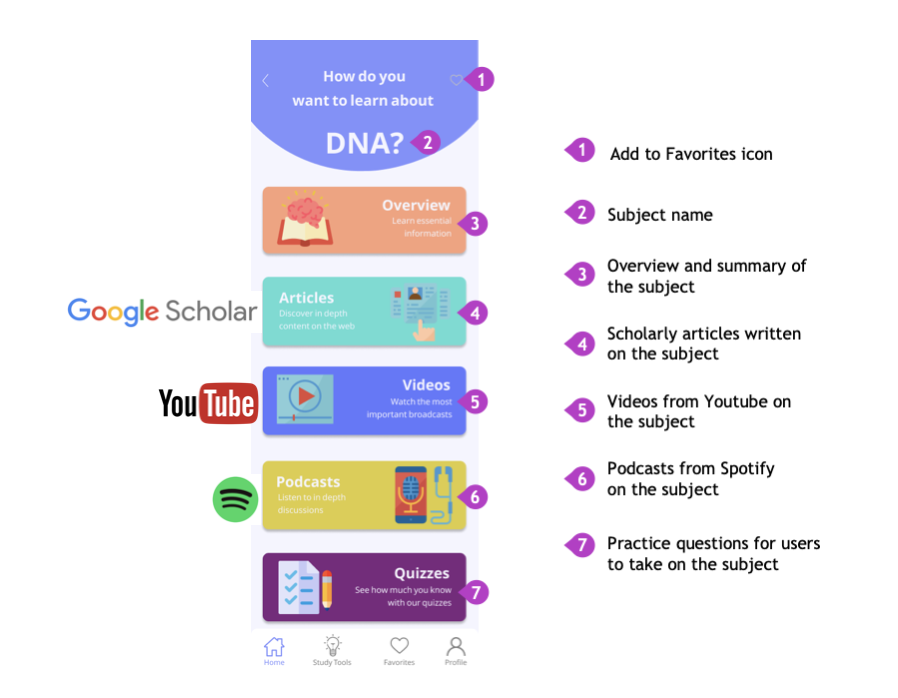
APIs
Tutelage gathers and organizes the most useful content from the web with the use of APIs. Articles will use an API from Google Scholar. Videos will be retrieved from Youtube and podcasts will be from Spotify. For context, API stands for Application Programming Interface. Essentially, APIs allow users to access Google Scholar content without having to leave the Tutelage application.
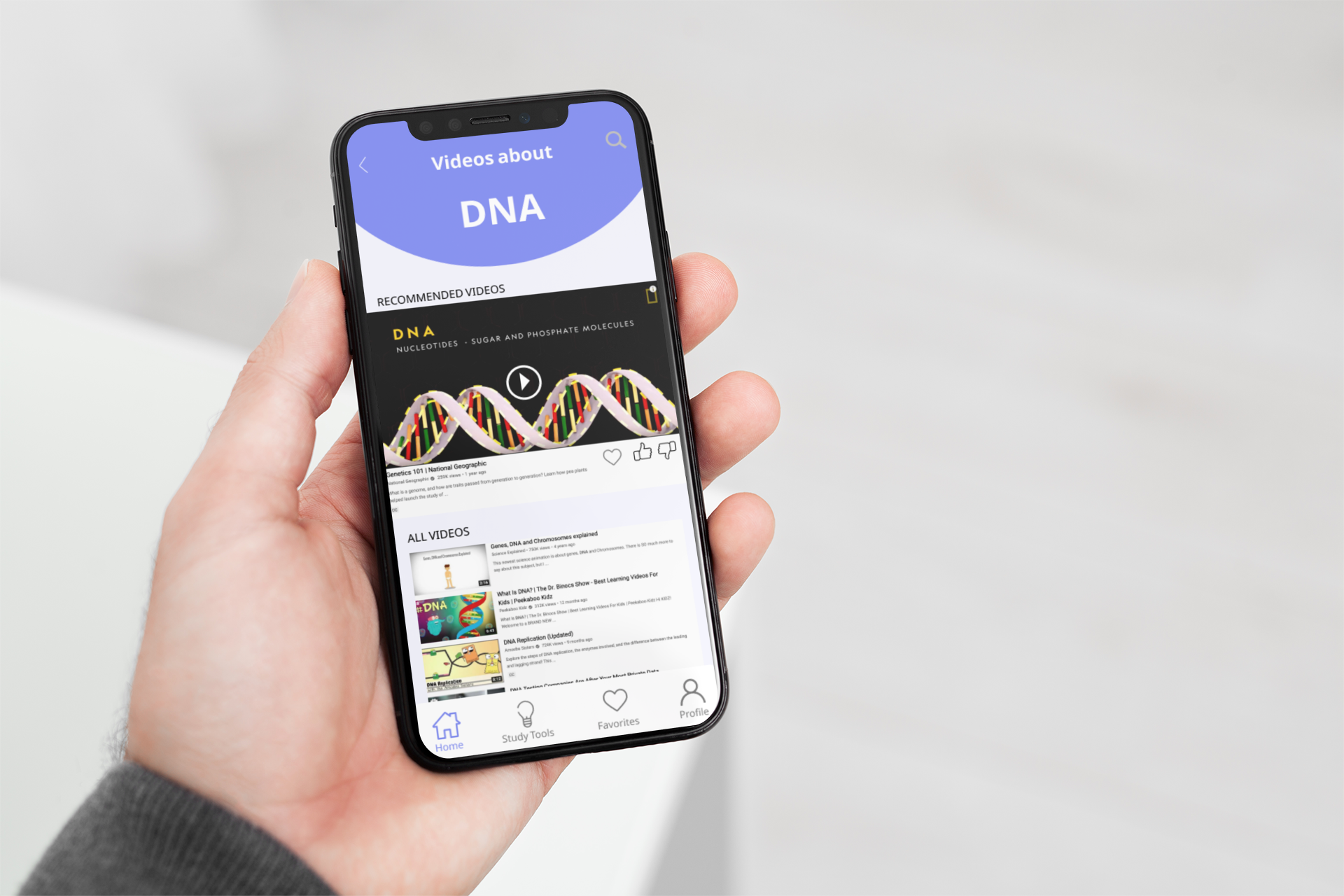
Content Organization
Within in each category of learning, resources are organized by “recommended” content as well as a cache of all the relevant content grouped into once place.
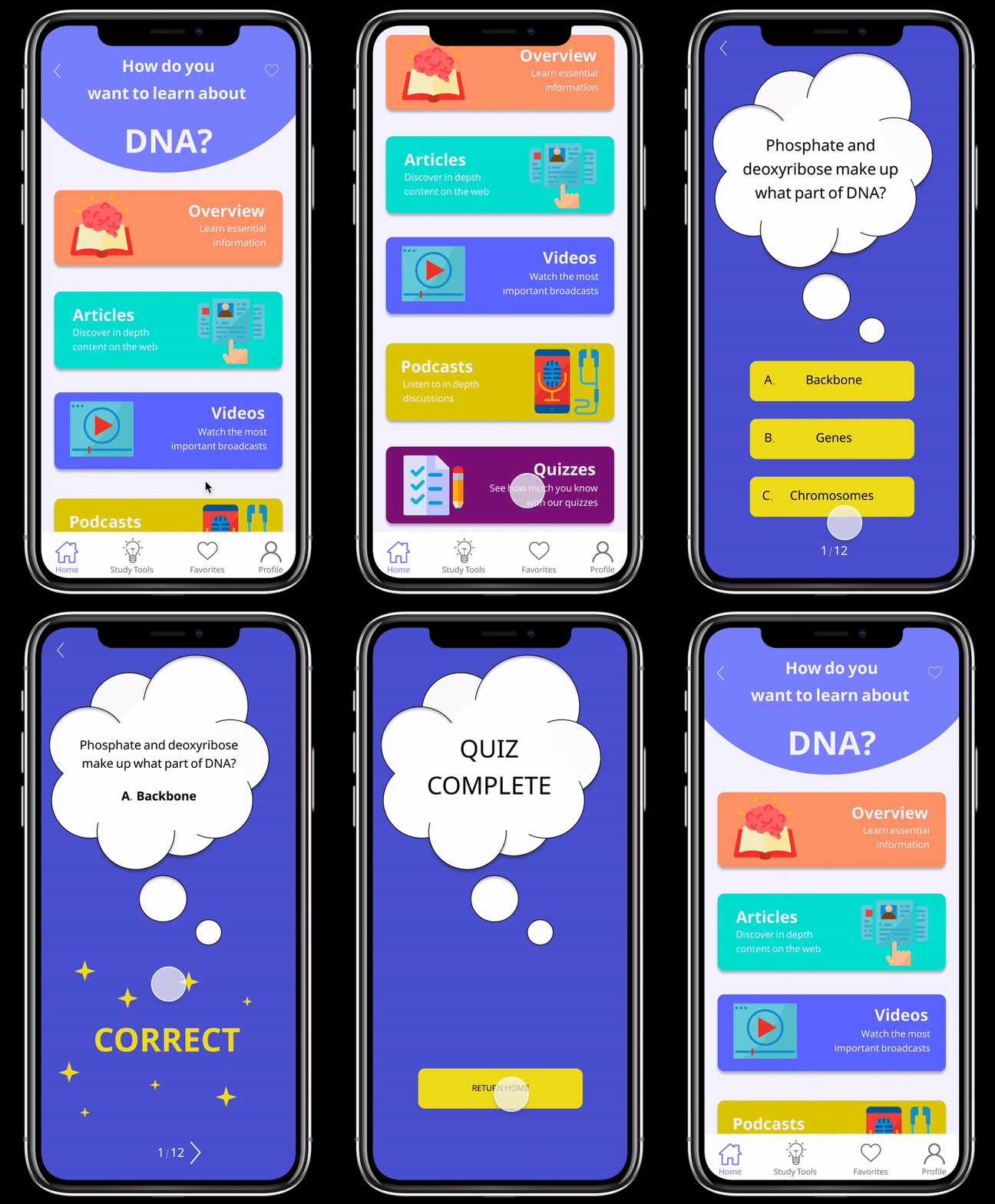
Self Assessment
A key insight we gathered from our research that stated most students like taking practice exams in preparation for their tests.In response to that we created “Quizzes”, where Sally will find multiple choice questions that can help her familiarize herself with questions she may see on the real exam. When taking a practice quiz on our app, she’ll receive immediate feedback from the app telling her if she answered the question correctly or incorrectly. This way, Sally can measure how much she has learned and also get a sense of which topics she needs to brush up on before taking the real exam.
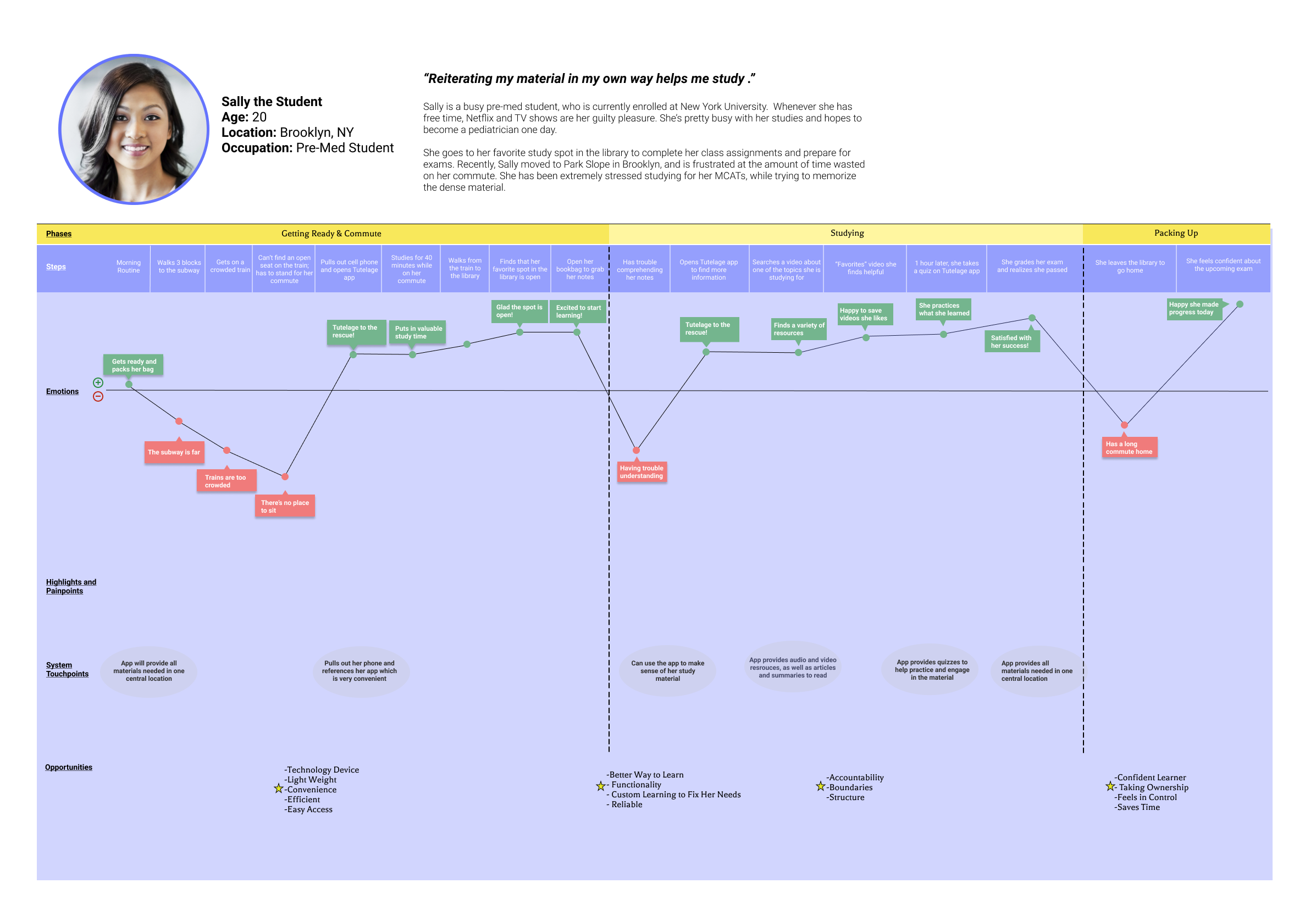
Updated Journey Map
After introducing Tutelage to Sally, we found that she can have a happier and more productive day!
Next Steps
After testing our hi-fidelity prototype, we gathered some insights to help us improve our design. Some updates we would like to make in our next iteration include:
Add a “do not disturb” timer as it was an insight we gathered from our user interviews
Offer more options for memory tools like digital flash cards and other quiz methods that make learning engaging
Add labels to the tab bar and conduct another round of testing